







Unsupported vehicles
- BMW petrol
- Ford petrol
- Citroen diesel & some (TriCore TC1766) petrol
- Peugeot diesel & some (TriCore TC1766) petrol
- Renault
These vehicles are not supported because despite the name of the control unit, the firmware structure significantly differs from "normal" Bosch ECUs.
Security Gateway
Vehicles equipped with Security Gateway (SGW) are supported, SGW bypass is not required.
variant coding
You can code the engine control unit without any limitations. Multimap will automatically use the coding you have selected.
Switching
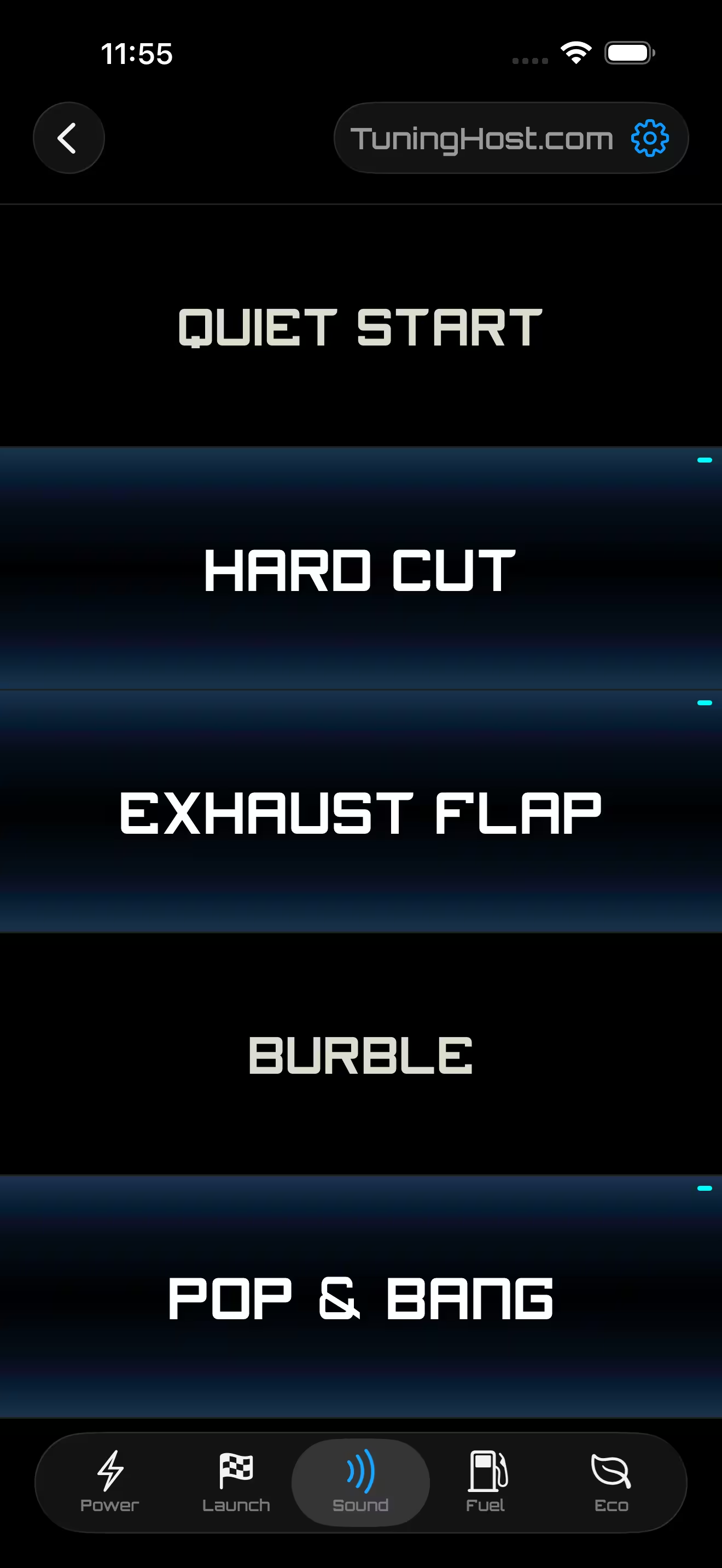
Switching is done using the Android / iOS application "TuningHost" and the diagnostic device ELM327 Bluetooth.
Switching using cruise control with dashboard indication is not supported in this service.
Why App and not cruise control?
Advantages
- Any map or value can be switched
- Many modes can be activated simultaneously, allowing you to combine Power, Fuel Type, Sound, Eco and more.
- Switching to Stock mode is complete, i.e., not only some maps are switched, but all of them, meaning the engine will run on the completely factory program.
- The selected modes are saved in EEPROM after the ignition is turned off.
ELM327
All branded ELM327 Bluetooth devices are supported. However, please be aware that low-cost, unbranded ELM327 devices may not be compatible. We recommend:
- Vgate iCar Pro 2S (Android / iOS)
- Vgate vLinker BM+ (Android / iOS)
- UniCarScan UCSI-2100 (Android / iOS)
You can also read an excellent article about ELM327
- WiFi ELM327 devices are NOT SUPPORTED!
- We do not sell diagnostic scanners. You need to purchase ELM327 yourself.
Modes on the Power and Sound pages can be switched while driving.
Critical modes on the Fuel and Launch pages that can impact vehicle behavior (such as fuel type) can only be changed when the car is stationary and the ignition is on.
After switching certain modes, primarily on the Eco page, it is necessary to turn the ignition off and back on. This is required because some code words (e.g. DPF switch) are loaded only once when the ignition is turned on, i.e., during the ECU's operating system startup.
How it works
STEP 1:
Read the FULL FILE on the BENCH or in BOOT mode.
The following files are NOT SUPPORTED:
- OBD
- Virtual Read
- Decrypted (like .frf -> .odx -> .bin)
- Downloaded from the internet
STEP 2:
- Modify the file. You can use markers.
- Name the modified file(s). Use the following names!
- Send us the stock(original) Full file incl. EEPROM and External Flash(only if present!) along with the modified file(s) and we will merge them into one Multimap file.
- Let us know YOUR WEBSITE (up to 28 characters) to be displayed in the app. By default, your company name will be used.
Important
- If you name the file differently, for example MotorSportPerformanceRON100.bin or Stage1_E85.bin, it will not be recognized by our editor and may not be added to the Multimap file.
- If you send us a non-original file, we do not guarantee you a successful result.
Please note: the original file is the factory file written by Bosch in the ECU you are working with. If you send a file from a different ECU, NO REFUND WILL BE ISSUED. - Please do not send us the names of the maps you would like to add since we do not need it.
- If two engine control units (Master/Slave) are installed, you need to provide the firmware from both units. The Multimap file name will include the processor number, which indicates which unit the firmware is for. Slave does not affect the price.
Flashers
- We recommend PCM Flash Module 71 as it has settings, particularly for disabling checksum calculations, it does not erase the bootloader area or split files into PFLASH0, PFLASH1, etc.
- CMD users have to merge and export the file or files if there is external flash from the backup. The multimap can be flashed normally. CMD will automatically detect if it's a full file and flash it accordingly.
- Autotuner users have to send the Backup.
- Flex users have to send int_flash and int_eeprom or backup archive
Use other tools at your own risk.
Some ECUs are locked, and if reading them on the bench is not possible, please use boot mode.
Modes QTY
Since the empty space in memory is limited depending on the manufacturer, normally there can be from 2 to 20 modes
The number of modes doesn't affect the price.
In rare cases, some engine control units have very limited processor space, so multimap isn’t currently available for them.
Modifications
You can make modifications of maps of different modes later on. We do not provide descriptions of maps, A2L, etc.
The firmware contains various (for simplicity, code and data) blocks.
In most cases, you won't be able to write the file via OBDII because most flashers only write the data block (calibrations).
Although we try to insert the maps into the data block, there's often not enough free space. That's why, additional maps for Multimap might be located in other non-data blocks, so even if you change these maps, they won't get rewritten via OBDII.
Checksum
The cost includes a one-time checksum calculation if needed.
Important! Many flashers and software incorrectly calculate the following checksums in certain software versions when additional code has been patched:
- 16-bit checksum (not present in ECUs based on TC1793). Once the checksum is calculated for the first time, other flashers and editors begin calculating it correctly.
- 16-bit or 32-bit checksum when multiple variants of calibration areas are present. WinOLS and many flashers do not calculate such a checksum for the monitoring area (MoF). We do.
- By default, the Calibration Verification Number (CVN) will also match the original (if supported).
Compatibility
The firmware is individual, modified only for a specific control unit and cannot be used in another control unit, even with the same software and hardware numbers.
If you need it, you can edit the software numbers in flash and in eeprom in this specific ECU.
Support
Support is only available via email in English. We do not provide free support for reading and writing firmware, diagnosing the engine, analyzing logs, etc. If you need such support, it costs additional 200EUR (excluding VAT).
Payment
- 0% fee for your FIRST MULTIMAP PURCHASE via PayPal
- PayPal: EU 3.5% fee / other countries 6% fee
- To our bank account using IBAN or Wise: 0% fee
After successfully verifying the file and receiving your company details, we will issue an invoice to you.
PROCEED TIME
After payment, we will send you a Multimap file by email, which you need to write to the ECU. In most cases it takes around one minute if you send us the correctly named mods + stock.
However, if no issues arise (usual case, if you follow our recommendations), and you successfully write the firmware, install the ECU on the car and start the engine, we will send you a security code to activate Multimap. From that moment, a refund is no longer possible.
Terms of use
We will permanently terminate cooperation with you or/and your company if the following terms of use of the service are violated:
- Collusion of firmware is prohibited. If we find a thread on the forum, Facebook, etc. that such collusion was organized by you or you participated in it, this constitutes a violation of the terms of service.
- Posting firmware on forums, Facebook groups, Telegram, etc. is prohibited.
- Reselling our firmware through the File Service is prohibited.